Printing & beauty kiosks
Phone Case Vending Machine Inventory: Choose Blanks and Refill Stock
Plan supported phone models, accepted blank cases and refill quantities for a phone case printing vending machine without confusing capacity with demand.
Choose stock by exact phone model and accepted blank
The opening inventory for a phone case printing vending machine should be built from accepted blank cases for exact device models, then allocated using local requests or pilot sales. Start with fit and usable stock; a large cabinet capacity does not tell you which phones your customers own.
A saleable stock code combines the exact device model, material, colour and printable surface. Check camera openings and case fit using an actual blank sample, then retain the accepted print. Match that physical sample to the customer-facing name and the compartment record. Similar phone names should stay separate until fit is established.
Read capacity as a configuration limit
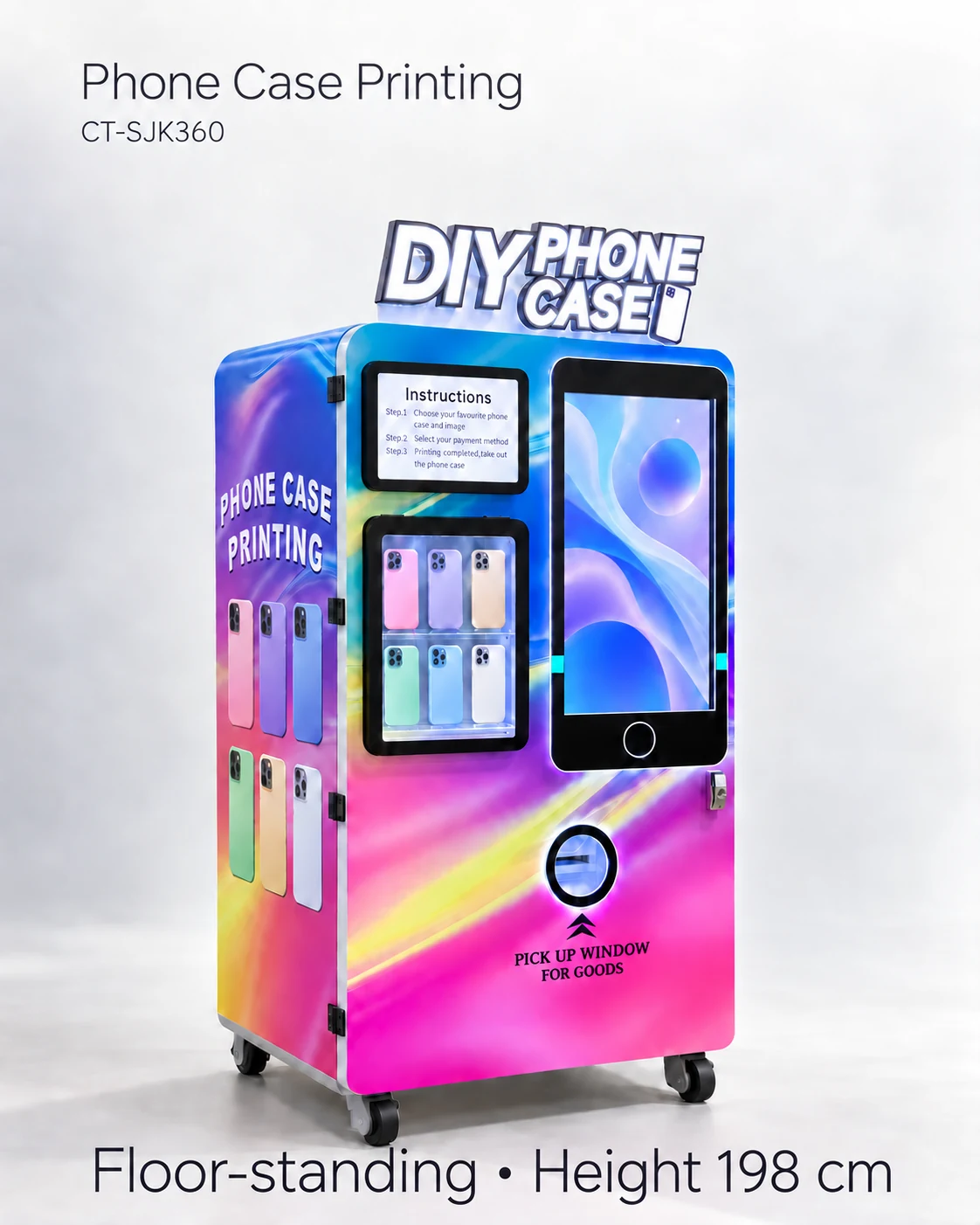
The supplier lists 56 compartments and up to 448 cases for the reference kiosk. These figures do not establish 56 supported device models or identical capacity for every case format. The loading direction, case thickness and accepted packaging determine usable stock in each position.
A broad assortment spreads stock across more device models; a deeper assortment keeps more blanks for the models most often requested. The Case-Pro listing from AVS uses its own stock and bay arrangement, illustrating this same assortment decision. Your opening plan should connect each accepted blank to a replenishment source and an available position.
Use this inventory record
Use one row per accepted blank: device model; customer-facing label; blank stock code and supplier; accepted physical and print sample; assigned position; demonstrated usable quantity; usable stock; rejected or reserved stock; observed requests and completed sales; reorder point; replenishment source. Keep quantities unconfirmed where the physical loading test is still pending.
Choose the initial mix from a retailer assortment review or a dated pilot with a stated sample size. Record requests you could not fulfil alongside completed sales. A machine can appear well stocked while the requested device is unavailable; those missed requests help you decide whether to change the mix.
Calculate a refill trigger from observed use
Reorder point = observed consumption during the quoted replenishment interval + the reserve selected by the operator. Use current blank prices and replenishment information, and label a provisional consumption estimate as an assumption. Keep obsolete models, rejected blanks and slow stock in the cost record.
A phone-model change also changes the stock map and possibly the printable area. Follow the supplier procedure for catalogue and compartment updates, then check that selecting the new device retrieves the accepted blank. Do not add a new screen label while leaving old cases in the assigned position.
Decide which stock offer to quote
Choose an assortment when fit, print output, loading and customer selection are matched. Hold a blank when any of those identities is unresolved. For the quote, provide the destination, machine quantity and accepted or proposed model list; request opening stock, reorder units, blank-source conditions and catalogue-update fees separately.
Review the assortment after each refill: which models sold, which requests could not be filled, and which blanks stayed on the shelf? The UV sample guide helps with output quality; the compartment guide helps with picking and stock mapping. Together these records show where to adjust the offer.
CHECK THE REFERENCES
Sources
- Automatic Phone Case Printing Vending Machine reference configuration
Model reference and supplier-listed configuration.
- AVS Companies Case-Pro: a different phone-case vending configuration
Distributor description of Case-Pro stock, customer design and remote monitoring.
PUT THE GUIDE TO WORK
Plan your case assortment
Send the target phone models, accepted blank samples, opening stock estimate, destination and machine quantity. Request a compartment plan and itemised supplies quote.
Build my equipment brief